 Español
 English
Journal entries and templates
Record entries with account, document, description, debit and credit amounts. The software also includes journal entry templates.

CSI SOFTWARE / ACCOUNTING
Journal entries, receivables and payables, cash accounts, fixed assets and financial statements. A workspace for recording transactions, reviewing accounts and preparing reports.
Request a demonstrationView software screenshots ↓
EVERYDAY FEATURES
We work with you to define the features and configuration for your installation.
Record entries with account, document, description, debit and credit amounts. The software also includes journal entry templates.
Dedicated sections for receivables, payables and cash accounts help organise this part of your administrative work.
Work with the fixed assets section within the accounting application. We help define the configuration for your business.
Access financial statements and account information. The main screen includes shortcuts to account statements, entry searches and the chart of accounts.
Review totals by sheet, journal entry, account and offset account. The entries screen shows debits, credits and balances, and flags unbalanced journal entries.
The application offers an SII connection module. Ask us about availability and configuration for your installation.
INSIDE THE SOFTWARE
Two original screenshots showing the workspace and the details of accounting entries.
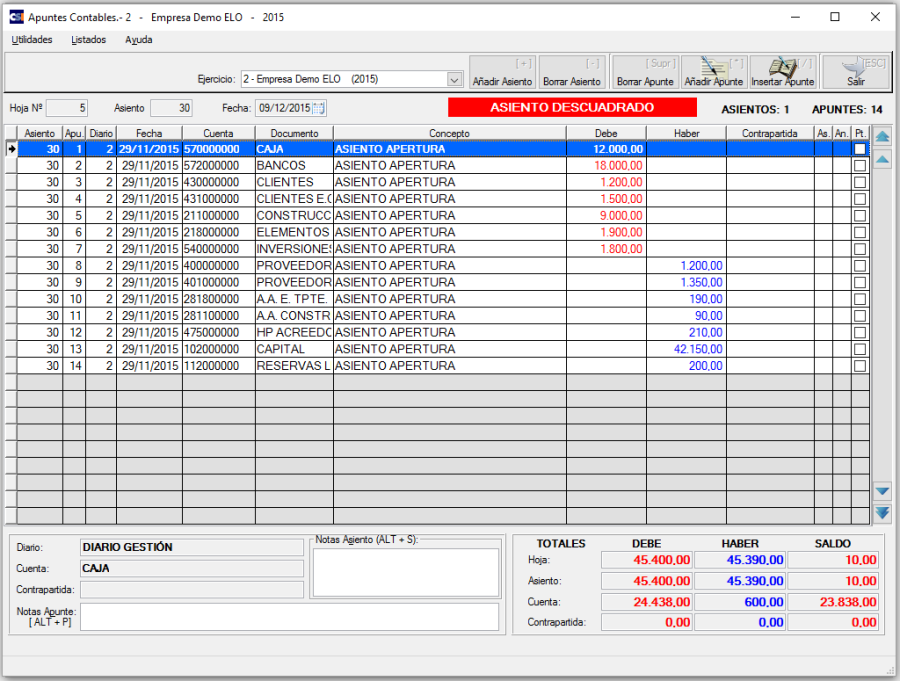
Accounts, documents, descriptions, debits and credits, with entry totals and balances.
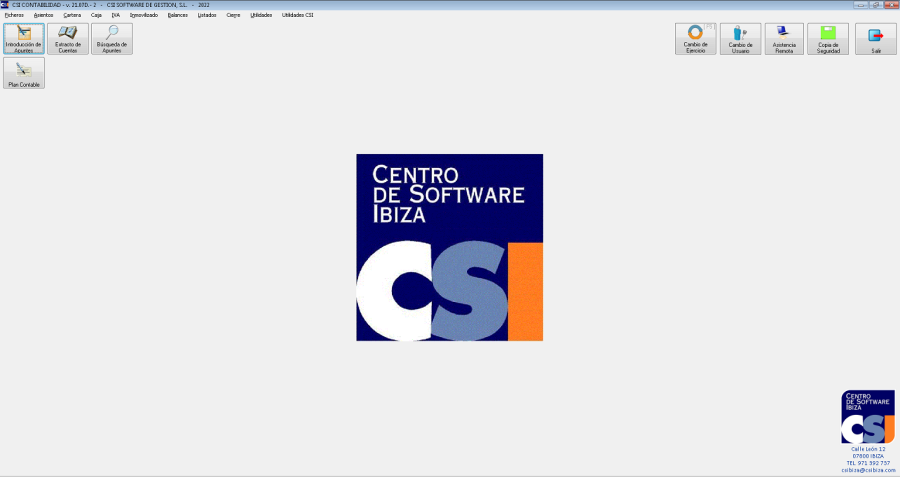
Shortcuts to entries, account statements, searches and the chart of accounts.
Screenshots published on CSI’s applications website show the original Spanish interface. The appearance may vary depending on the version and configuration.
INFORMATION YOU CAN USE
Application reports can be exported to PDF, Excel and Word so you can review and work with the information.

ANOTHER PART OF THE DAY
Recording transactions, checking documents and reviewing information.
We start with the way you work to define the tools and connections your business needs.
Explore the sectorIllustrative scene for this sector. Available features are defined for each installation.BEFORE WE START
How you record and review transactions.
Which financial statements and reports you need.
How it should connect with your sales management.
LET’S TALK ABOUT YOUR BUSINESS
We help you find the software, equipment and connections that fit your business.
Request informationMonday to Friday
09:00–18:00